Hobby Tools

Creality.jpg

Best Entry Level 3D Printer in 2026

The ultimate beginner’s guide to choosing an affordable, easy-to-use 3D printer3D printing has never been easier to start. With the best entry level 3D printer, you can create tools, fix broken items, or even launch a side hustle from home.  So do you need a 3D printer?   Well as a creator the answer is always yes to more tools and gadgets.  Read more below on what a 3D printer is, how it works and what it can do.

Quick Comparison: Best Beginner 3D Printers

Printer Best For Key Feature Price Range Link
Ender 3 V3 SE Budget beginners Auto leveling $200–$250 Check  Price On Amazon
Bambu Lab A1 Mini Plug-and-play users High-speed printing $300–$400 Check Price On Amazon
Anycubic Kobra 2 Fast printing Speed + ease of use $250–$350 Check Price On Amazon

Top Picks for Beginners

1. Ender 3 V3 SE – Best Budget Entry Level 3D Printer

If you’re looking for an affordable 3D printer, this is one of the most popular options for beginners.

  • Auto bed leveling
  • Easy setup
  • Huge community support


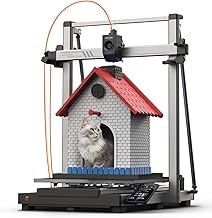
Creality 3D Printer

2. Bambu Lab A1 Mini – Easiest 3D Printer for Beginners


This is one of the most easy to use 3D printers available today. Perfect if you don’t want to tinker.

  • Plug-and-play setup
  • Fast printing speeds
  • High-quality results

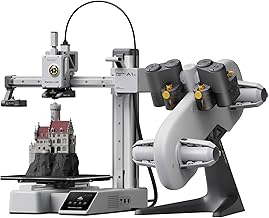
Bambu Lab 3 D Printer

3. Anycubic Kobra 2 – Best Value for Speed

A great balance between price and performance for beginners who want faster prints.

  • Quick setup
  • Reliable printing
  • Great value

Anycubic 3D Printer


What to Look for in a Beginner 3D Printer

Easy Setup

A beginner 3D printer should be simple to assemble and use.

Auto Bed Leveling

This prevents failed prints and saves time.

Reliable Print Quality

You want consistent results right out of the box.

Community Support

More support = easier learning.

What Can You Make?

  • Phone stands
  • Replacement parts
  • Custom gifts
  • Miniatures
  • Tools and organizers

Beginner Mistakes to Avoid

Buying Too Cheap

Cheap printers often lead to frustration.

Using Bad Filament

Material quality matters more than you think.

Skipping Setup

Calibration is still important.

FAQ: Entry Level 3D Printers

What is the best entry level 3D printer?

The best option depends on your budget, but beginner-friendly models from Creality, Bambu Lab, and Anycubic are top choices.

How much should I spend?

Most beginners should aim for $200–$400 for the best experience.

Is 3D printing hard?

Not anymore—modern printers are designed specifically for beginners.

Get Started Today

Choosing the best entry level 3D printer doesn’t have to be complicated. Start with a reliable machine, learn the basics, and begin creating.

Once you print your first object, you’ll be hooked.


What Is a 3D Printer and How Does It Work?

A 3D printer is a machine that creates physical objects by building them layer by layer from a digital design. Unlike traditional manufacturing, which often cuts or molds materials into shape, 3D printing is an additive process. This means the printer adds material step-by-step until the final object is complete.

For beginners, this is what makes 3D printing so exciting—you can design something on a computer and then watch it come to life right in front of you. Whether it’s a simple tool, a decorative object, or a functional part, a beginner 3D printer can turn ideas into reality with surprising precision.

How 3D Printing Works (Step-by-Step)

At a basic level, 3D printing follows a simple process. Once you understand these steps, the technology becomes much less intimidating:

  1. Create or download a 3D model:
    Everything starts with a digital file. You can design your own models using software like Tinkercad or download pre-made designs from sites like Thingiverse.
  2. Slice the model:
    Before printing, the file is processed using slicing software. This software converts the model into hundreds (or thousands) of thin layers and generates instructions for the printer.
  3. Send the file to the printer:
    The sliced file is transferred to your printer via SD card, USB, or Wi-Fi depending on the model.
  4. Print layer by layer:
    The printer heats up material—usually plastic—and deposits it in precise layers. Each layer builds on the previous one until the object is complete.
  5. Cooling and finishing:
    Once printing is done, the object cools and solidifies. You may remove supports or do minor cleanup depending on the design.

What Materials Do 3D Printers Use?

Most entry level 3D printers use a material called filament, which is a thin strand of plastic wound on a spool. The most common type for beginners is PLA (Polylactic Acid), which is easy to use, affordable, and safe for indoor printing.

Other materials include:

  • PETG: More durable and slightly flexible
  • ABS: Strong and heat-resistant, but harder to print
  • TPU: Flexible, rubber-like material

As a beginner, sticking with PLA is usually the best choice until you get comfortable with your printer.

Types of 3D Printers (Beginner-Friendly)

There are several types of 3D printers, but most beginners will use what’s called an FDM printer (Fused Deposition Modeling). This is the most common and affordable type, and it works by melting plastic filament and laying it down layer by layer.

Another type is resin printing (SLA), which uses liquid resin and light to create highly detailed prints. While resin printers offer better detail, they are generally messier and less beginner-friendly.

That’s why nearly all recommendations for the best entry level 3D printer focus on FDM models—they’re easier to use, cheaper to maintain, and perfect for everyday projects.

Why 3D Printing Is So Powerful

The real power of 3D printing comes from its flexibility. Instead of buying products, you can create exactly what you need, when you need it.

With even an affordable 3D printer, you can:

  • Fix broken household items
  • Create custom tools and parts
  • Design unique gifts and decorations
  • Prototype product ideas

For many people, what starts as a hobby quickly turns into something bigger—whether that’s saving money, learning new skills, or even starting a small business.

Is 3D Printing Hard to Learn?

Years ago, 3D printing had a steep learning curve. But today’s machines are designed specifically for beginners. Features like auto bed leveling, pre-configured settings, and user-friendly interfaces make it much easier to get started.

There is still a bit of trial and error involved, especially in the beginning. However, most people can successfully print their first object within a few hours of setting up their printer.

With the right 3D printer for beginners, you don’t need technical experience—just a willingness to learn and experiment.
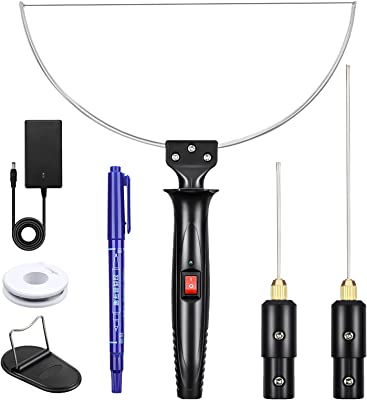


A foam cutter is a tool that you will love if you are shaping or cutting foam in any of your projects.  Years ago I built a foam cutter using nichrome wire and a battery charger for cutting model airplane wings.  It worked but compared to what’s available now, mine looked like something from an old science fiction movie.  If you are cutting foam, no matter what the application, you will want to know about the foam cutters available.   Let’s take a look at the tool and some of its capabilities specifications.  If you cut foam with a knife, you really need to check out these handy little cutters.

Foam Cutters

Check Price On Amazon

What Is A Foam Cutter?

A foam cutter is really a simple tool.  Most come with a foam cutting wire made of nichrome that heats up from resistance as electricity passes through it.  Most also have several different tips that can poke cut and shape foam.  What you look for in a foam cutter really depends on the type of crafting or work you do.  Here are a few things to consider when buying a foam cutter.

What Kind Of Foam Cutter Should I Buy?

What you buy really comes down to some basic considerations.  For instance are you simply using it to cut foam in a straight line or to length?  Sometimes, you are looking to punch a hole through foam or cut a channel, maybe to accept a conduit in a basement remodel.  The key is to look at the tips available for your foam wire cutter.  Spend a few minutes scrolling through the choices to see what is available to make sure you don’t miss out.  Most cutters will have the wire cutting head so make sure that you get one wide enough for your intended use.  You will also find foam cutters that are almost like a scroll saw which is really pretty cool if you are cutting out letters or designs from flat foam.  Some of the more expensive units have variable temps on the unit as well to accommodate different types of foam.  While basic models may not have temperature settings, they still may fit the bill for your project.

Check Out A Foam Cutter On Amazon

Applications For Foam Cutters

So who a foam cutter made for?  Crafters and modelers for sure are a market for the tool. Crafters or modelers that work with foam will for sure find uses for the tool.   Foam is also used in furniture work as well so that is a viable use for the tool.  Small contractors will find the tool useful for shaping foam to go around outlets, wires, pipes and more.  It is so much cleaner, quicker and accurate than a utility knife.

Final Thoughts On Foam Cutters

Foam cutters are another one of those little tools that you maybe never thought of.  Cutting foam with a knife is a messy struggle.  Cutting foam with a foam cutter is as close to cutting butter with a hot knife as you can get!


61De1PrDrvL._AC_SL1500_-1.jpg

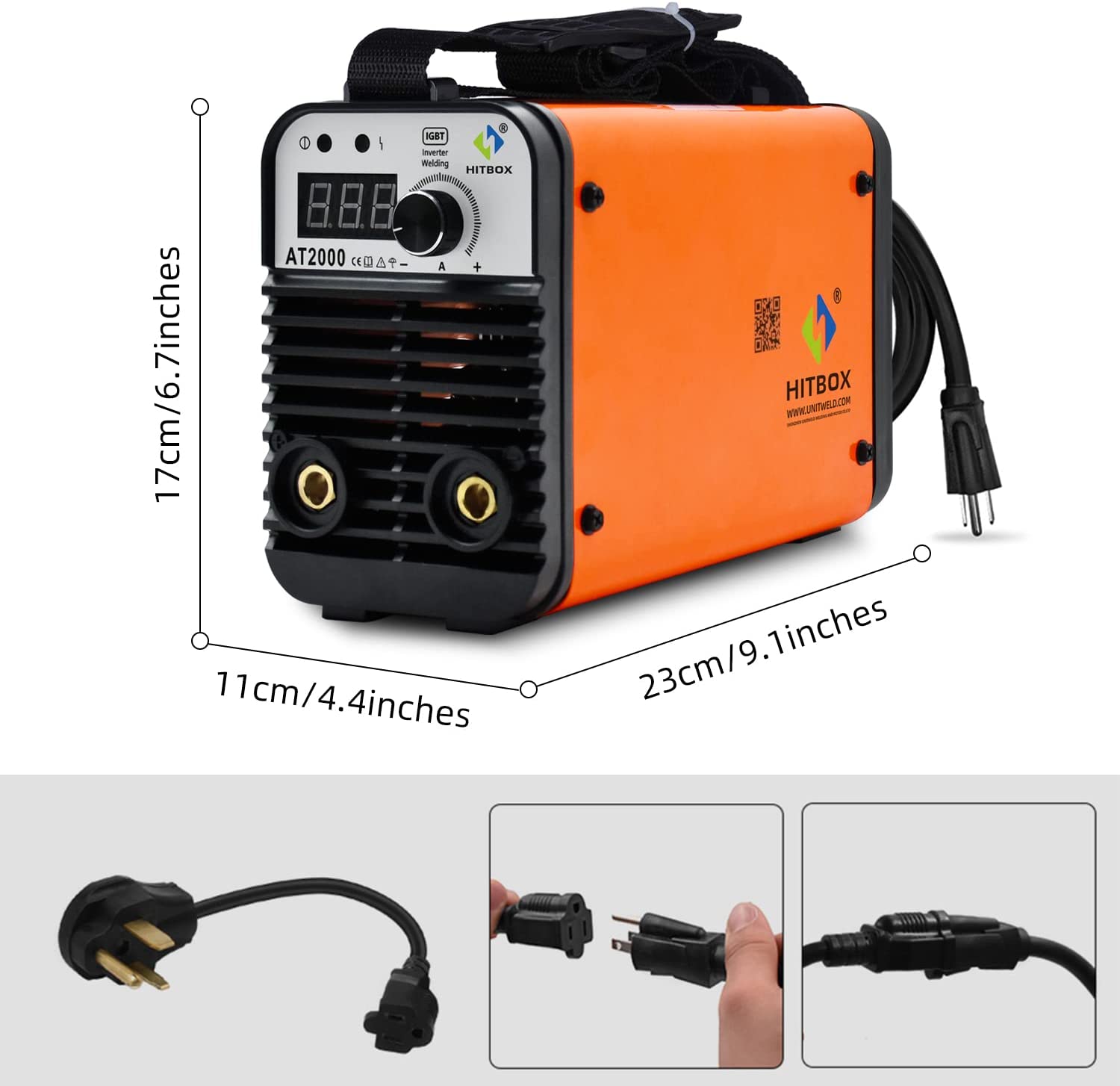
Here is a review of the HITBOX UW-AT2000J arc welder.  Is this tiny little inexpensive stick welder worth having?  For many this HITBOX is just what the doctor ordered.  Let’s take a look at some of the key features of the unit and see if the UW-AT200J it is a tool you should make a little room for in your shop.

The HITBOX UW-AT2000J Arc Welder Is Tiny

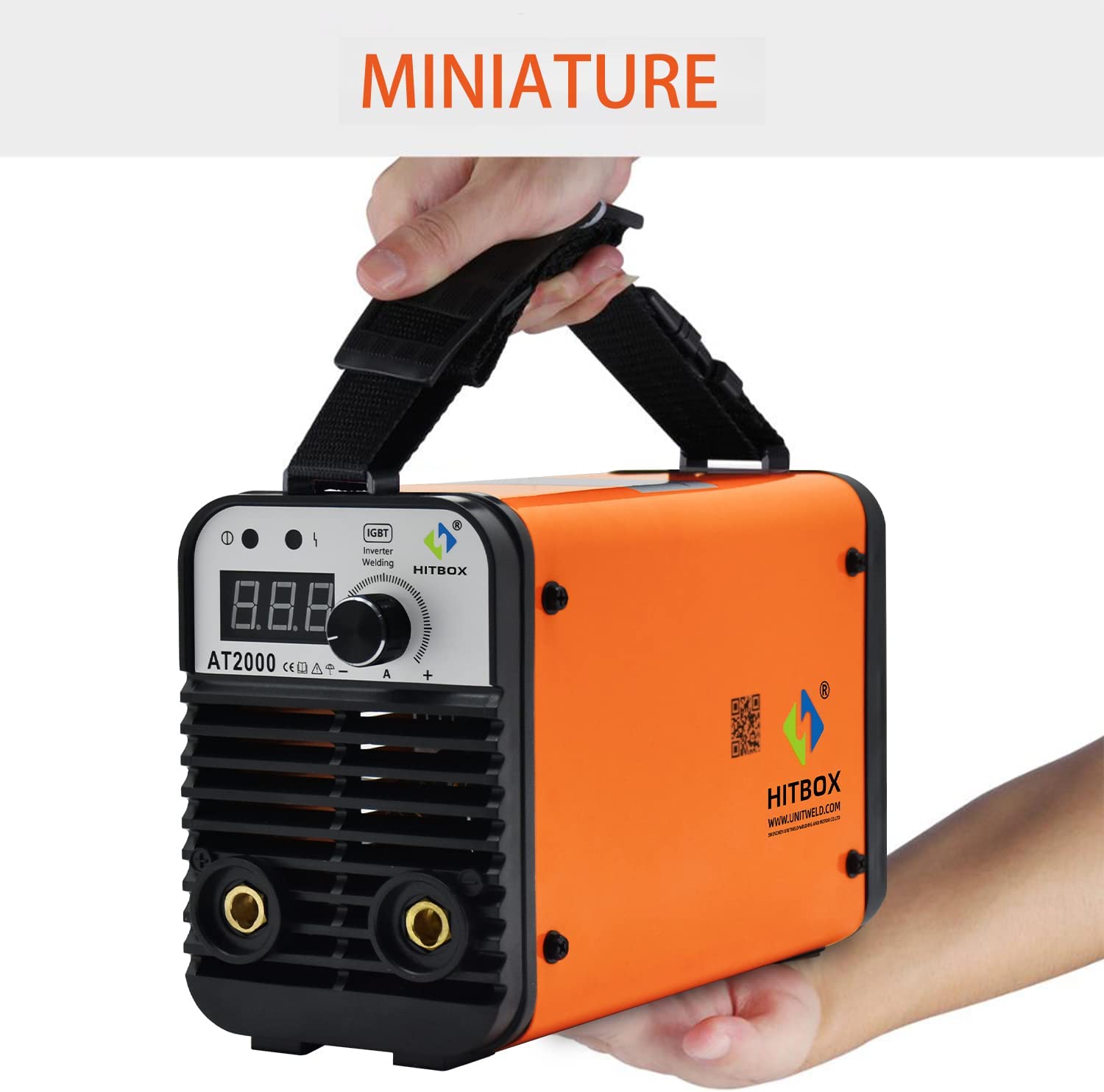
Speaking of making a little room: the first thing that struck me about this particular welder is how small it is.  I am not a big welder, I actually don’t care to weld but when you need to weld, you need to weld!  Growing up my dad’s stick welder was the size of a mini fridge.  The HITBOX UW-AT2000J is the more like the size of a small lunch cooler.  It has a foot print of about 4.5” x 9” and is about 17” tall.  Weight comes in at under 7 pounds.  So yes it is a small welder but can it really weld?  First, check out some basic features of the welder.

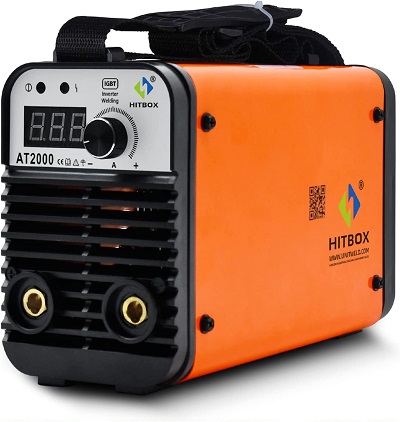
HITBOX UW-AT2000J Arc Welder

Available On Amazon

Features Of The Welder

The HITBOX UW-AT2000J is dual voltage, 110V/220V.  It does a nice job with both 7018 and 6013 welding rods.  I remember my first welding experience trying to strike an arc.  I really struggled.  This little welder is designed with the beginner in mind as it is easy to strike your arc and the stable voltage and hot start feature aids with that as well.  It’s a safe little unit featuring overload and overcurrent protection.

What Is The Welder Good For?

See Reviews On Amazon

See Reviews On Amazon

So what market is the HITBOX UW-AT2000J welder going after?  Well it’s not an all day long industrial welder. That is a totally different market.  In my opinion this little welder has a home in many shops.  If you are just starting out doing some metal craft work, this welder is a great way to start.  If you are new welder, it will be some time before your skills will outperform the welder.  Basic repair is another reason why you may like this little HITBOX welder.  For instance, let’s say you break a bracket on your lawnmower deck.  To hire an onsite welder won’t be cheap.  The cost will likely be more than the welder!  You may have a buddy who has a welder.  So now you take your deck off, load it in your trunk, drive it over to your buddies, have him weld it up, put it back in your trunk, drive home and bolt it back on.  Welding in place in this instance is obviously a better option.  Use it once or twice and this welder will have paid for itself.

Don’t Forget

Don’t forget when you buy your welder to buy a good helmet.  Do yourself a favor and make sure you get a auto-darkening helmet.  You may find an old style helmet laying around but an auto-darkening helmet is the way to go and there really are some inexpensive ones out there that will get the job done.


Wen-6254-Sander.png

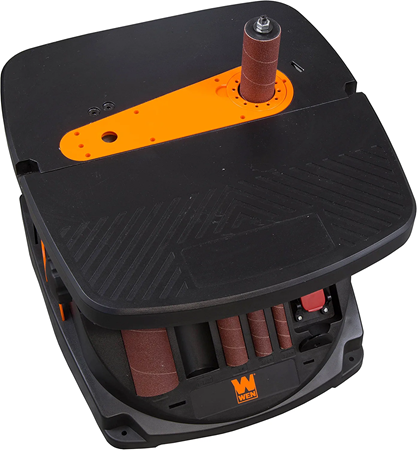
A spindle sander or oscillating sander is a tool to me that is a must have for any small shop.  When I was just out of high school I worked in a production wood shop where I spent hours on both a spindle sander and an oscillating belt sander.   I became very proficient on both of them and I knew that I would need them at home.  Just recently I purchased the Wen Oscillating belt sander, spindle sander combo tool and have put it to good use shaping wing rib templates for an RC airplane project and a small decorative wall cabinet among other things.  The oscillating sander is a standard stop for most projects in between the cut out and routing stage.  The oscillating feature of the tools will help remove material as well as utilize more for of the belt and spindle.

Wen Spindle Belt Sander

See Price On Amazon

See Price On Amazon

What I was Looking For In A Spindle Sander

I wanted a spindle sander that would handle different size drums for varying applications.  I wanted to have different grits readily available as well.  I typically am using a 100 grit or so but sometimes I want a something a little more aggressive.  I also wanted enough power to lean on the machine when need be.  The table size didn’t have to be huge but did have to be large enough to stabilize the work.  I found that with several sanders but what really caught my eye were the spindle sanders that had a belt option on the same unit.  I would rather have both a spindle and a belt sander if I could but space is somewhat tight so I leaned towards the Wen which had both the oscillating spindle and the oscillating belt option.  There are other brands very similar including Rigid and others.  The RPM on the Wen is listed at 2000 and the Rigid claims 1750.  When you compare the amps, the Rigid shows 5 amps and the Wen shows 3.5 amps.  Construction on both is similar with tilting beds for bevel sanding.  The Rigid is a bit more money and a little bigger. Both have several different spindle sizes.   I think either one would serve you well.  I went with the Wen and it has had enough power to make me happy.   Changing between spindle sizes with the Wen is simple with the onboard tools and spindles as well as different size throat plates for the different size spindles and the belt.  Changing to the belt is easy as well.   I am going to be mounting mine on a flip table so I will need to make storage for the accessories.


Uses For The Spindle Sander

One of the first things I did with my spindle sander was install the belt.  I was working on a small RC airplane and made two wing templates out of thin plywood and then stacked balsa blanks between the tool and sanded them down between the templates.   Perfect wing ribs, really fast.  I typically have the spindle on the tool, usually the mid-size one.  I use it to smooth out shelf brackets and other curved edge cut out pieces.  A spindle sander is especially appreciated here as I typically use my jig saw and blade flex can add a slight angle in a cut.  The spindle sander can square it up nicely.  The belt sander is nice for cleaning up edge cuts all though if you have a steady hand, you can do a pretty good job with the spindle.   I still sharpen my pencil once and while on my sander but I quit doing my nails!

To Wrap It Up

My spindle sander/oscillating sander is a tool that I used on a regular basis and I think you would find it very useful in your shop.  It will improve the quality of your projects and really is simple to operate.  When you order the, consider adding a few different grits of sandpaper, both for the spindles and the belt.  Another little accessory is a belt eraser to clean the sap out of the grit.  This is especially helpful with woods like pine.


laser-for-model-airplane-1.png

So, can I justify an xTool Laser for cutting balsa model airplanes?  If you have ever built a laser cut balsa airplane kit, you understand just why you would want to be able to cut your own kits.  The parts are so crisp and fit so perfectly.  Laser cuts are just so much better than die cut.  When I first started looking at lasers I was drawn to the Glowforge product.  It looked so well built and just a very nice user friendly laser cutter engraver.  When I saw the price, well, I thought maybe this wouldn’t happen anytime soon.  I just couldn’t justify spending that kind of money on a laser to build model airplanes.  But as I kept shopping around, I came across the xTool laser cutter/engravers and I am starting to think I may actually be worth pursuing.  Street price just keeps dropping and power keeps increasing.  (Visit the XTOOL website for current deals and new products)

Why I Want The xTool Laser Cutter

As mentioned above, laser cut balsa airplanes are a real pleasure to build.  They build straight and fast.  I would really like a laser cutter when building wings that are tapered.  I think of the ever popular Bird of Time RC glider.  I don’t know how many different size ribs that wing has!  If I am building a constant cord wing, it’s easy enough to make a template and stack the rib together and cut to shape so that they are all exact.  Even so, cutting with a laser would make certain that the spar lines are all perfect and you could place lightening holes easily and uniformly.  I would also love the ability to cut plywood pieces.  In addition to formers, you could design and cut servo trays, control horns, cabane struts and more.  Something like the xTool laser could also be used to cut or engrave finer details.  Not sure if it could do rivet detail or lines but I am sure with a little effort you could find some parts to make to enhance your scale build.

The Learning Curve.

As with any new tool, there is a learning curve.  I have to admit, that does scare me a little bit.   You will need to learn to create vector files and then import into a simple CAD program.  You will then need to experiment with power levels and cutting speeds that will vary with material types, thicknesses etc.  Now that may sound daunting.  But do you remember learning to fly build and fly model airplanes, especially RC models?  There was so much to learn including building a straight warp free wing.  Getting the radio gear mounted and adjusted, finding the correct center of gravity, fuel proofing the firewall, breaking in the motor.  After all of that,  you still had to learn to fly the airplane including the challenge of flying it towards you.  Yes that was daunting as well but you wanted to fly and so you tackled each challenge.  And yes, you wasted some balsa wood along the way as you will while  learning the xTool laser cutting your model airplanes.  But the results will be so worth it.  While you may not find a ton of videos that are demonstrating how to laser cut parts for model airplanes, you will find enough that will give you the idea of what and how you can cut using a tool like the xTool laser.

Almost Convinced.

So there you have it.  I am going to keep looking at the xTool tool as an option for building model airplanes.  It will definitely stay on my wish list!


TOOLANDPROJECT.COM

Tools, projects, fun.

WWW.TOOLANDPROJECT.COM

contact@toolandproject.com

blogging

From MN